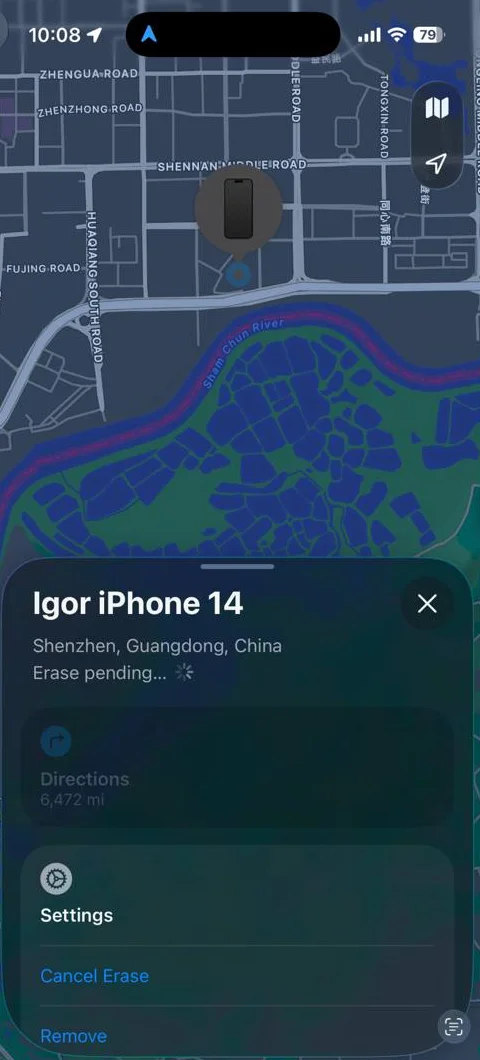
I returned my old work phone, an iPhone 14, about two years ago and forgot about it. Then Find My showed it in Shenzhen, in the electronics-market district, 6,472 miles away. That worried me. Years of my data are on that phone, and somebody over there makes a living opening phones. So I dug into how the iPhone protects that data. Short answer: it’s fine. Here’s why.
AI-augmented, roughly 80% AI (what this means)
I love AI, and I use it on posts like this one partly to get better at using it. The percent is a rough guess: after rounds of prompting, rewriting and editing, it's very hard to say which words came from whom.
Why I wasn’t actually in trouble
Everything below comes from Apple’s Platform Security guide. The short version: the data on the phone is encrypted, the key only exists while the phone is unlocked, and the only way to make the key is to type the passcode into that exact phone, which locks after ten wrong tries.
The flash chip is ciphertext. Every file gets its own 256-bit key, and those keys are wrapped by class keys that only unlock once the passcode has been entered (Data Protection overview). Pull the chip off the board and you have a very expensive random number generator.
The passcode is tied to the chip. The passcode is entangled with a key fused into the Secure Enclave at the factory, the UID, which software can use but never read out (the Secure Enclave). So you cannot copy my data to a rack of GPUs and guess passcodes there. Apple’s words: brute-force attempts “need to be performed on the device under attack” (Passcodes and passwords).
The phone counts your guesses. The Secure Enclave enforces escalating delays, and a restart doesn’t reset them. Apple’s current table for the iPhone lock screen:
| Wrong attempts | Delay before the next try |
|---|---|
| 1 to 3 | None |
| 4 | 1 minute |
| 5 | 5 minutes |
| 6 | 15 minutes |
| 7 | 1 hour |
| 8 | 3 hours |
| 9 | 8 hours |
| 10 or more | Locked. Needs a computer, or the owner’s Apple Account to erase it from the lock screen |
Source: Passcodes and passwords; the lock-screen behavior is in this support article.
Ten strikes can mean a wipe. With Erase Data on (Settings > Face ID & Passcode), ten consecutive wrong passcodes erase the phone. On an A12 or later chip (the iPhone 14 is an A15), the attempt counter lives in a separate Secure Storage Component that does the erasing itself, and it refuses unlock attempts that don’t come from its paired Secure Enclave (the Secure Enclave). That last clause matters. In 2016 a researcher beat the iPhone 5c’s counter by desoldering the flash chip and restoring a copy after every ten guesses. That trick is what the Secure Storage Component exists to kill.
Sitting in a drawer makes it safer, not weaker. Since iOS 18.1, the Secure Enclave watches for unlocks, and a phone that stays locked “for a prolonged period” restarts itself, dropping from After First Unlock to Before First Unlock and purging keys from memory (Protecting user data in the face of attack). Apple doesn’t publish the timer; researchers measured about 72 hours. And a phone nobody has charged in two years has rebooted the old-fashioned way, which lands in the same state.
What a forensics lab can and can’t do
The companies that sell phone-cracking to police (Cellebrite, GrayKey) are the sophisticated attacker I was imagining. Here’s where they stand.
- Before First Unlock is the hard case. After a reboot, nothing in the default protection class is readable until the passcode goes in (Data Protection classes). After First Unlock, the class keys stay in memory while the phone is locked, which is why labs want a phone that’s still warm. Mine isn’t.
- They need a bug, not a bigger computer. Everything above is enforced by the Secure Enclave, so the only way around it is an exploit in the Secure Enclave or iOS that lets them send guesses without the delays. Those bugs exist, get patched, and get rarer. Cellebrite’s own leaked support matrix showed it couldn’t unlock a sizable chunk of then-current iPhones as of April 2024.
- checkm8 doesn’t apply. The famous unpatchable boot ROM exploit tops out at the A11, the iPhone 8 and X. An iPhone 14 is four chip generations past it, and even on affected phones it doesn’t produce the passcode.
- Even a perfect bug hits the 80 ms floor. Suppose a lab defeats the counter and the delays and can fire guesses at the Secure Enclave as fast as it will take them. Apple tunes the key derivation so each guess takes about 80 ms on the chip (Passcodes and passwords). My arithmetic at that rate, worst case for the attacker, all combinations:
| Passcode | Combinations | Time to try them all |
|---|---|---|
| 4 digits | 10,000 | about 13 minutes |
| 6 digits | 1,000,000 | about 22 hours |
| 6 characters, lowercase + digits | 2.2 billion | 5.5 years (Apple’s figure) |
| 10 characters, mixed case + digits | 840 quadrillion | about 2 billion years |
So a 6-digit PIN is a bet that nobody has a working Secure Enclave exploit for your iOS version. An alphanumeric passcode isn’t a bet at all.