Daily Journaling: From Psychic Diarrhea to Polished Turds
emotional intelligence , how igor ticks , productivityI’ve been doing daily stream of consciousness journaling since 2011, writing over a million words. Here’s how I capture and process my entries. I don’t always hit this perfectly - it’s the process I aim for.
AI-augmented, roughly 55% AI (what this means)
I love AI, and I use it on posts like this one partly to get better at using it. The percent is a rough guess: after rounds of prompting, rewriting and editing, it's very hard to say which words came from whom.
- Handwriting vs Typing
- Current Workflow
- Journal Structure
- The Prompts at the Bottom
- Appendix: The Evolution of How I Journal
Handwriting vs Typing
I’ve always loved handwriting my journal. The tactile part matters - I think better with a pen than a keyboard, and the page feels more personal. But I switched to typing for years because I wanted to search and analyze my entries, and you can’t grep paper.
AI transcription ended the tradeoff. I write by hand on a Kindle Scribe, then let a model turn the handwriting into text. I get the thinking benefits of pen and paper and a searchable, analyzable archive.
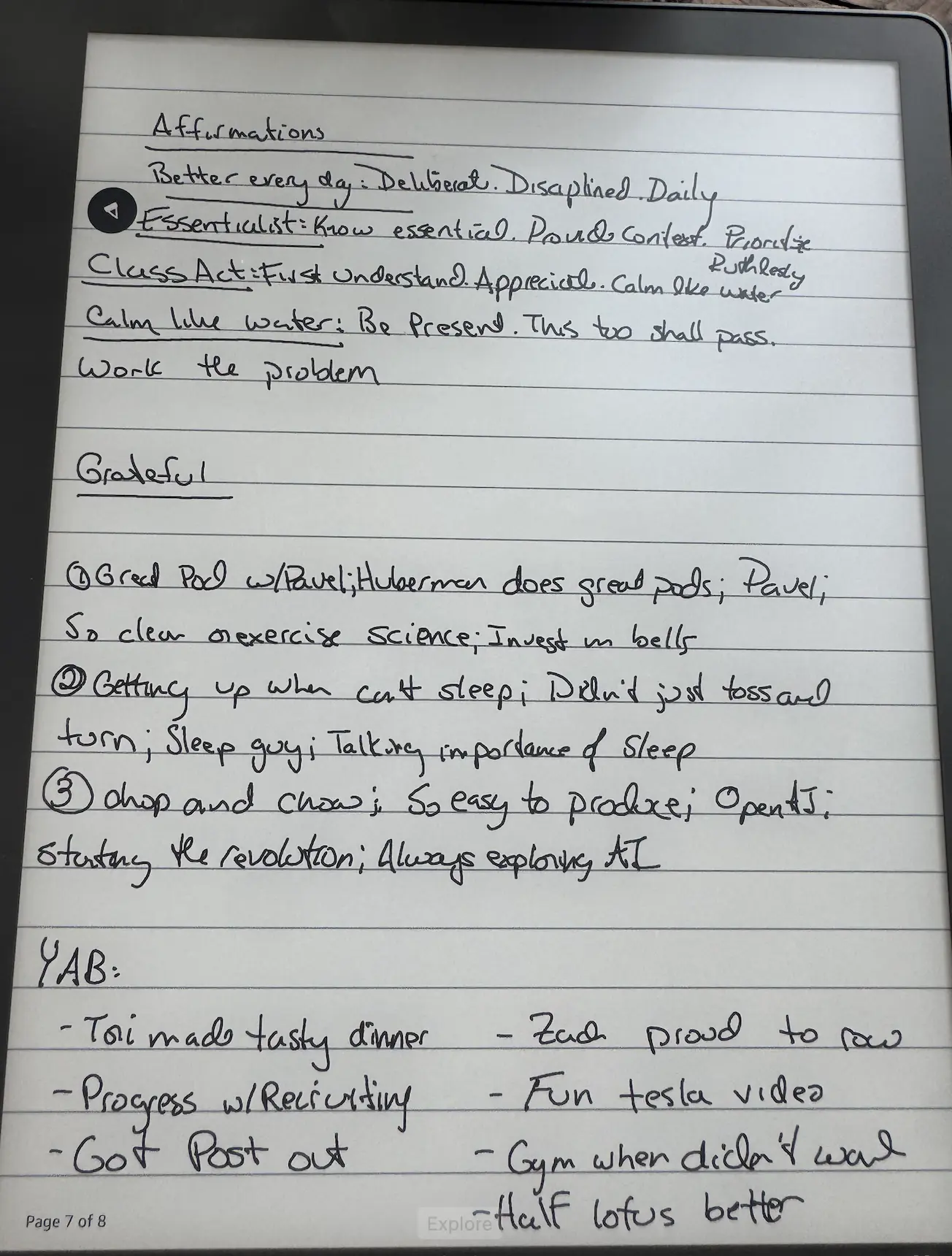
Current Workflow
The old version of this was fiddly. Every morning I created a fresh notebook on the Scribe, named it with the date, wrote, then emailed it to myself so a script could grab the PDF. A new notebook a day meant a long scroll of loose files with no easy way to flip back to last Tuesday.
Now I journal in one hyperlinked PDF instead of a notebook per day. A little Python script generates a blank template for a date range - I usually do a quarter at a time. Each month gets an index page, and every date on that index is a tappable link straight to that day’s first page.
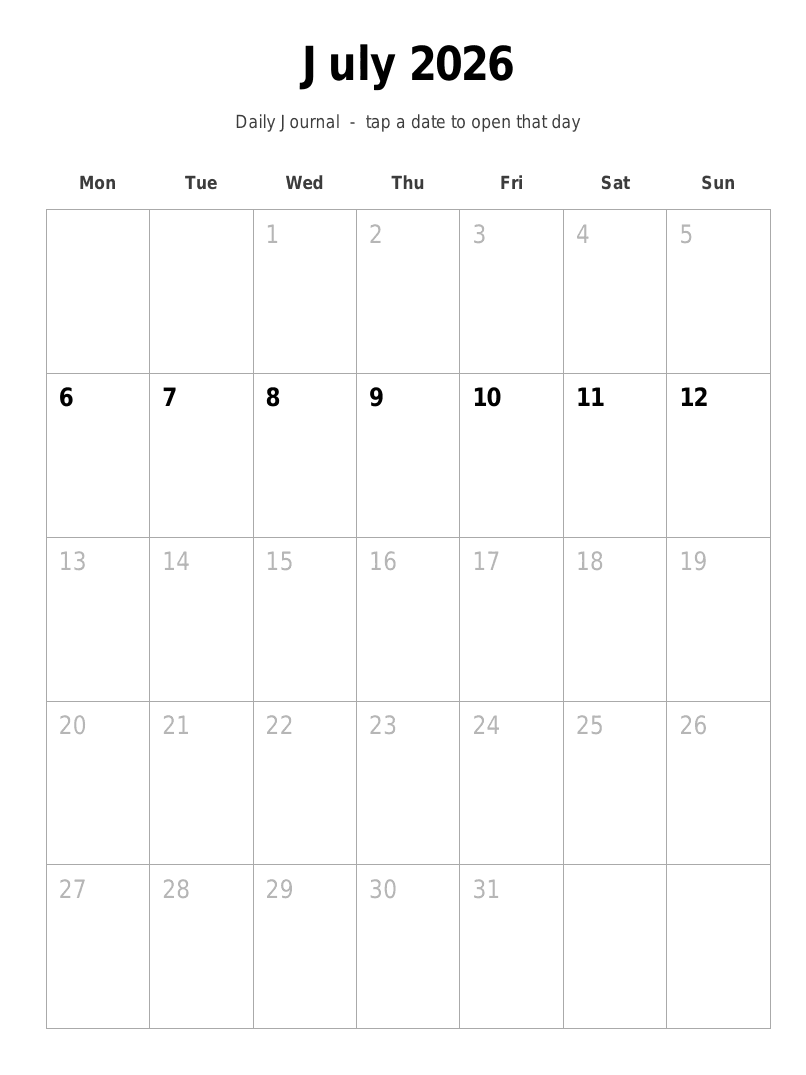
The month index. The bold dates are the ones I generated pages for; tap one and the Scribe jumps straight to that day. Greyed dates are outside my range. It’s the same idea as a paper planner’s tabs, except the tabs are the calendar itself.
Every page also carries the navigation in its header: day-jump arrows to step to the next or previous day, page tabs (1-5) to move within the day, and a home button back to the month index. So the whole quarter is one book I can finger-tap through instead of a pile of separate notebooks. (The links only work on a finger tap, not a pen tap - a Scribe quirk.)
Grab my blank template if you want to try it or fork it. It’s empty - just the ruled sections and the tappable index.
Here’s the round-trip:
- Generate the blank template and get it onto the Scribe. Emailing it to my Send-to-Kindle address keeps the internal links intact, so the tappable index survives the trip.
- Write. Coffee, ten minutes, stream of consciousness. I prime it by checking yesterday’s TODOs in OmniFocus and my habit tracker.
- Export back out. The Scribe bakes my ink into the PDF (flattened - the handwriting becomes part of the page) and I export the marked-up file to a Google Drive folder.
- Pull it down. I sync that folder to my laptop with
rclone. Each export is the whole growing notebook, so I only re-process the pages that changed since last time. - Transcribe. Convert the handwriting to text with vision OCR, drop it into that day’s
750wordsfile, and extract any TODOs into OmniFocus.
The email path still works as a fallback - it’s how I did this for a year before Google Drive - but Drive plus rclone is less friction than round-tripping through my inbox.
Journal Structure
The template mirrors the sections I’ve journaled around for years. Each day is five pages: one for setup, one for intentions, and three for open writing. Splitting it up means each part gets real room. The structured prompts don’t crowd the stream of consciousness, and the stream of consciousness gets three full pages before it runs out of paper - enough that I never stop early because the page did.
Page 1 - setup. Four affirmations, what I’m grateful for, and Yesterday Awesome Because - the specific things that made yesterday good, which is how I keep building momentum. A habit strip runs across the middle (Mobility / Gym / Meditate / Magic / Balloon) with a couple of blank to-do rows.
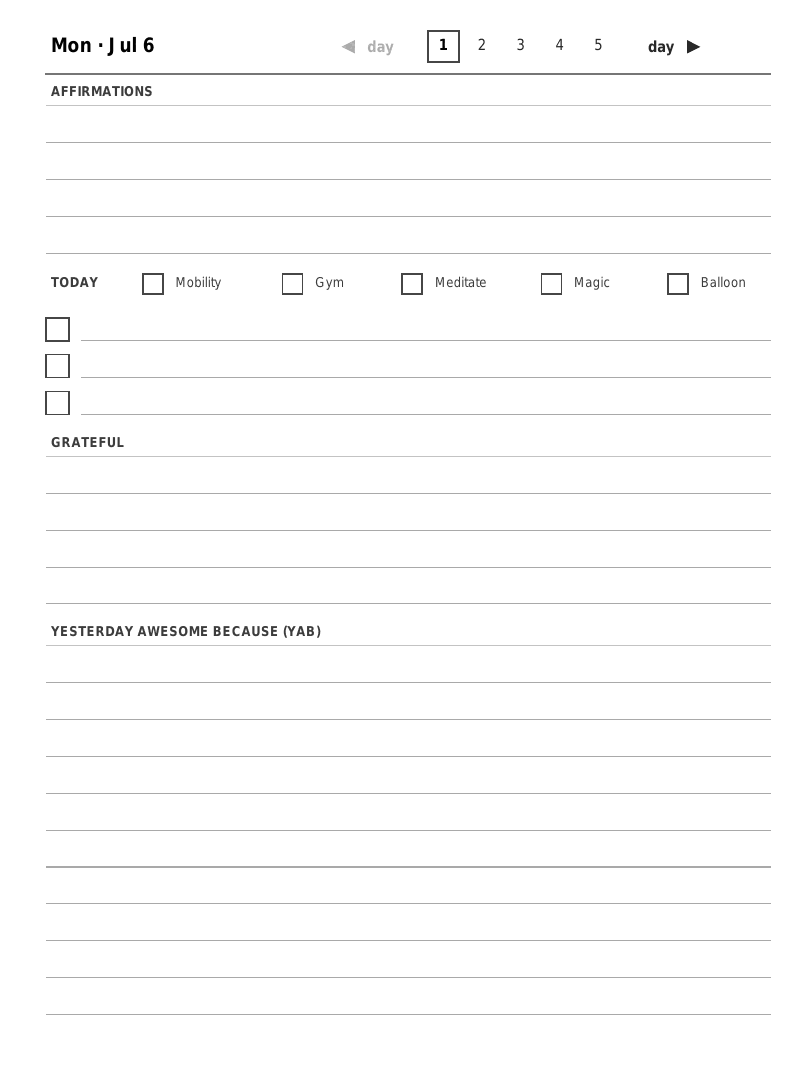
Page 1 of a day. The header nav (day arrows, page tabs 1-5, home) is on every page.
Page 2 - intentions. Today Awesome If / Commitments: what I want done today, plus what I said I’d do yesterday and whether I actually did it. Then Tori - Acts of Service, two check-rows where I note something concrete I’ll do for my wife.
Pages 3-5 - journal. The open stream of consciousness. Where I process what’s going on, including whatever psychic weight I’m carrying.
The Prompts at the Bottom
Every writing page (pages 2-5) has a faint question printed along the bottom.
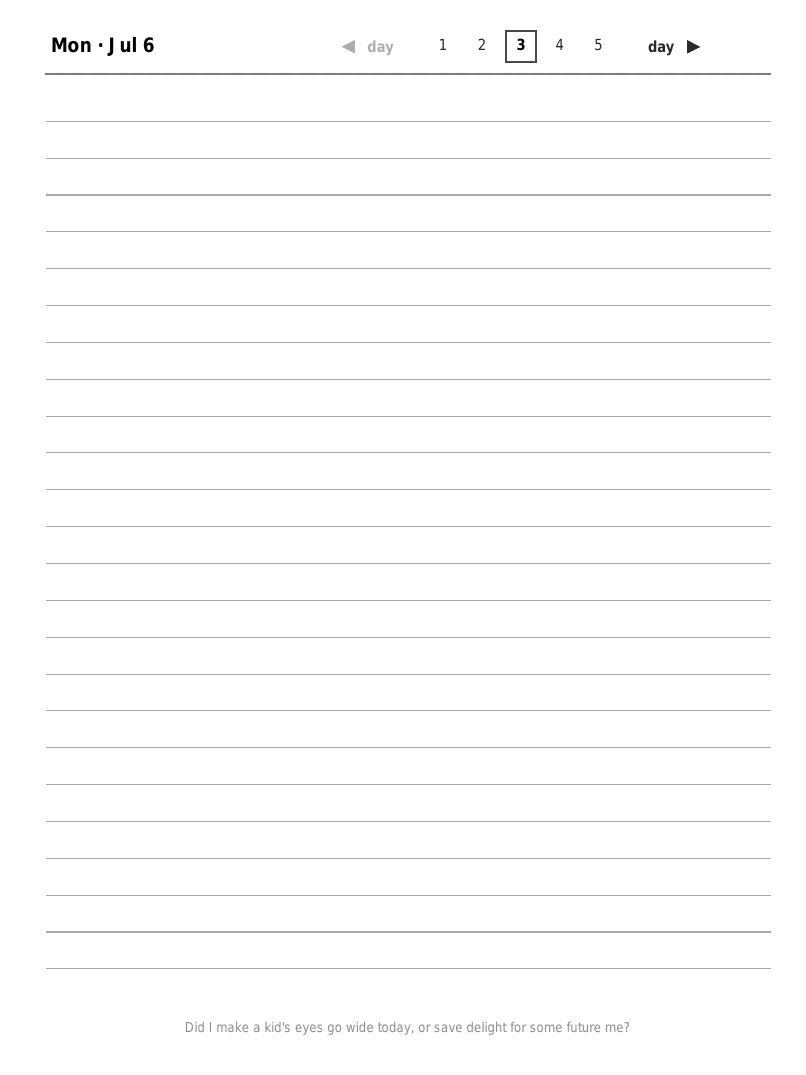
“Did I make a kid’s eyes go wide today, or save delight for some future me?” - one of the prompts, printed dim so it nudges without demanding.
These are eulogy prompts. I wrote out the roles I want to be remembered for - Father, Husband, Dealer of Smiles, Fit Fellow, Emotionally Healthy Human, Technologist, Mostly Car-Free Spirit, Disciple of the 7 Habits - and generated ten reflective questions for each. The template pulls from that pool of 80, walking a shuffled list so I get a different question every page and rarely see a repeat.
They’re printed dim on purpose. I don’t have to answer them - most days I don’t answer directly. They’re there for the blank-page moment, a way to seed the writing and quietly tie an ordinary Tuesday back to the person I said I wanted to be. It’s the same instinct behind my mortality software: keep the long view where I can see it while I’m living the short one.
Appendix: The Evolution of How I Journal
The current setup is the third act. I’m keeping the earlier ones here for the record - git blame on this post has the exact dates if you want to trace it.
The typing years (2011-2025). For over a decade the whole “workflow” was just typing into 750words every morning - searchable, easy to analyze, over a million words - but I missed the pen the entire time. That’s the tradeoff the handwriting vs typing section up top is about.
A notebook a day on the Kindle Scribe (2025). AI transcription let me pick the pen back up, so I went back to handwriting and let a model turn it into text. The catch was that every day was its own file:
- Brain dump on the Scribe. Prime it with yesterday’s TODOs (OmniFocus) and habits (Streaks), then create a brand-new notebook named with the date and handwrite for ten minutes.
- Email it to myself. The Scribe only exported by emailing me a “here’s a link to your PDF” message.
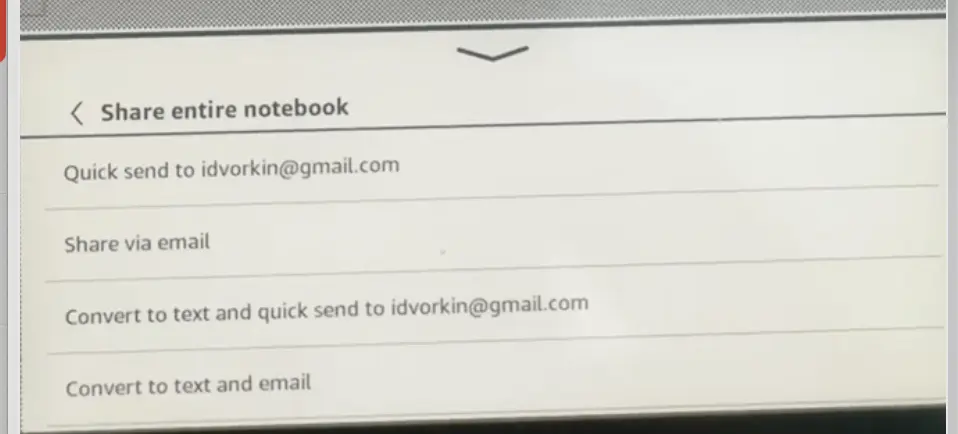
- Grab the PDF link from Gmail with a bespoke tool I CHOPed in an afternoon (the build, via chat one and chat two).
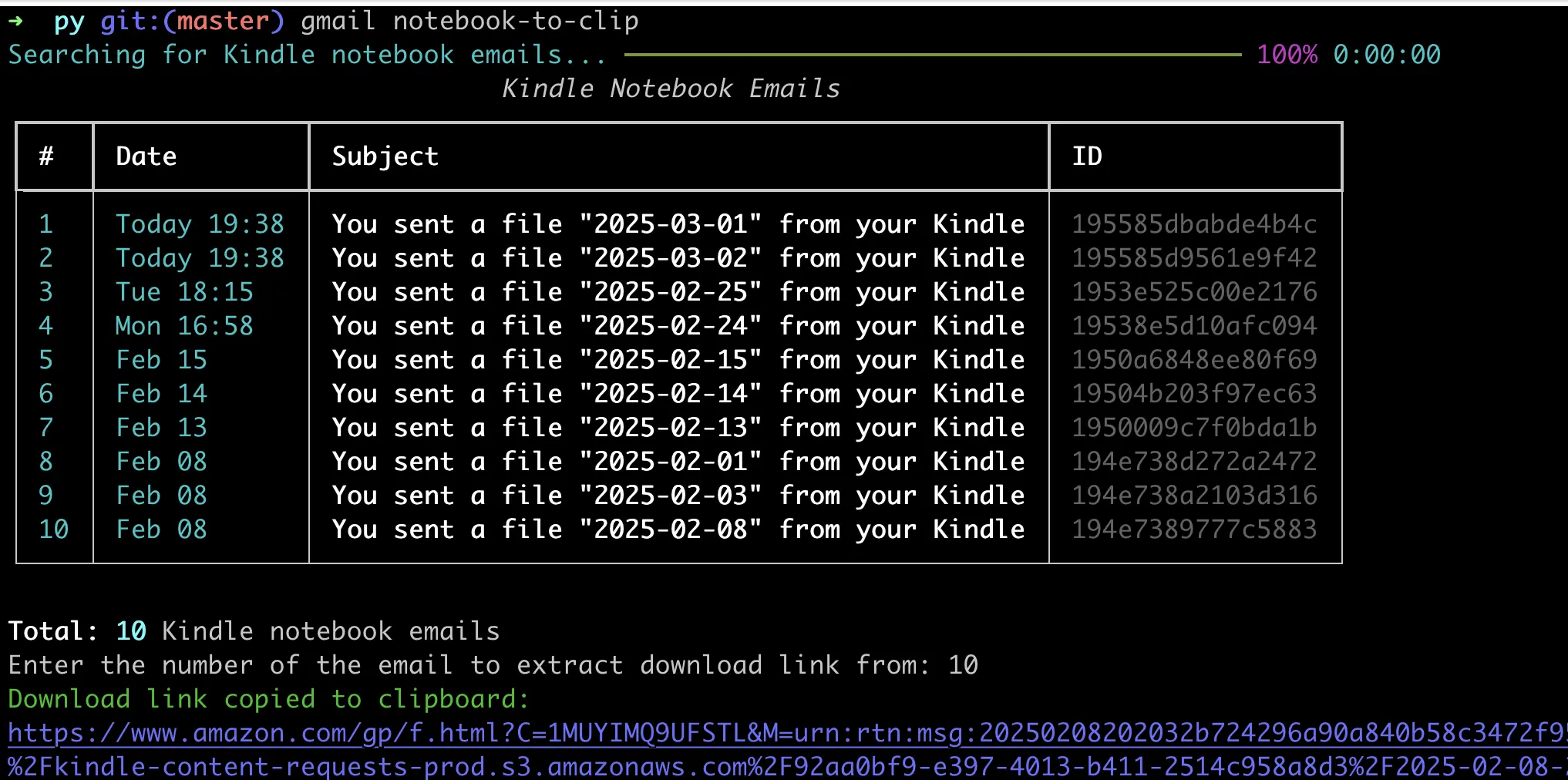
- Transcribe and file. Same as today: convert the handwriting to text, drop it into the day’s file, and extract TODOs to OmniFocus.
It worked, but a fresh notebook every day meant a long scroll of loose files and no easy way to flip back to last Tuesday. That’s the itch the template scratched.
The hyperlinked template (2026-now). One navigable PDF per quarter, synced through Google Drive - the current workflow above.